


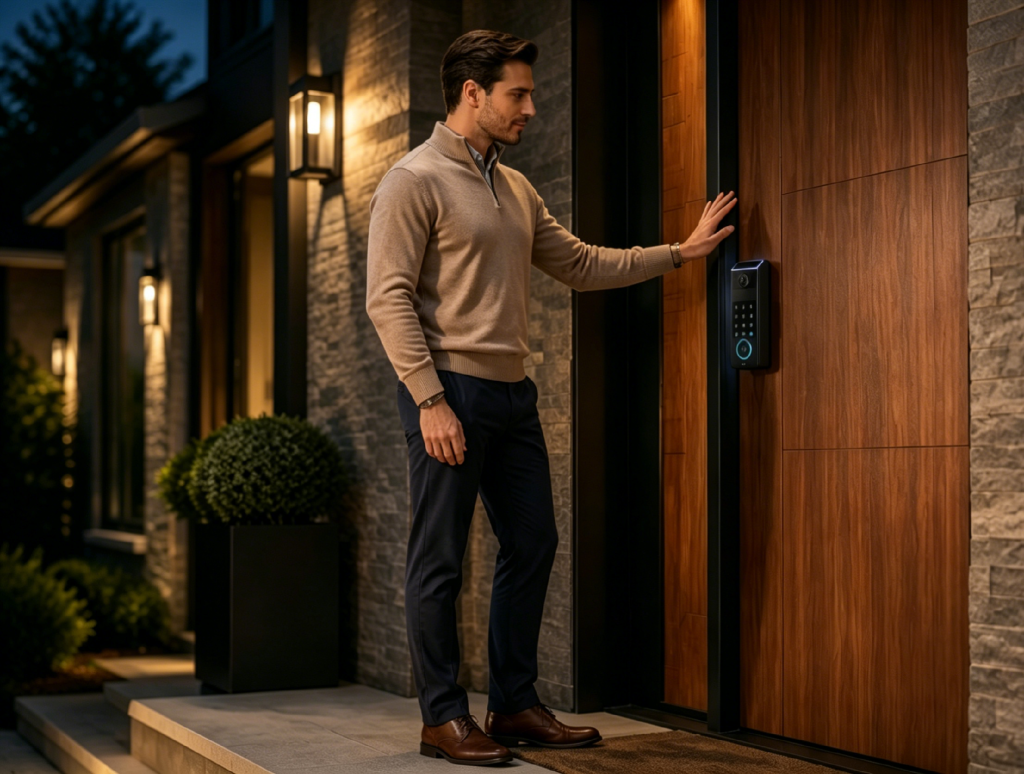
A wifi smart lock does not usually stop being a lock when the internet goes down. What it loses first is distance. You may not be able to unlock it from another city, check its live status, or get a timely alert the moment someone uses the door. At the door itself, though, the answer is usually more reassuring: local unlock methods often keep working.
That difference matters. Many people search for whether a smart lock that requires internet will leave them locked out during a router reset, ISP outage, or storm-related power cut. The better question is what layer fails first. A practical WiFi lock plan has three layers: remote WiFi control, local access through Bluetooth or a keypad, and a mechanical or emergency power fallback if the battery is gone.
The sections ahead cover remote limits, gateway versus built-in WiFi failure paths, local Bluetooth and keypad entry, battery versus outage behavior, shaky notifications, and what to check on specs for solid backups.
Remote access depends on both the internet and power
Remote control is the feature most people associate with a wifi smart lock, but it only works when two things are true at the same time. The lock, or its gateway, must have an internet path. The lock must also have enough power to receive and process the command.
When either side fails, the app may show the same simple result: offline. That can hide the real cause. A router reboot, an ISP outage, a dead bridge, or a drained lock battery can all block remote control, but they are not the same failure. One is a network path problem. The other is a device power problem.
During a WiFi outage, these features usually become unavailable or unreliable:
- Remote locking and unlocking from outside the home
- Real-time lock status in the app
- Temporary code changes made from far away
- Live video or two-way talk on camera lock models
- Cloud-routed voice assistant commands
- Instant push notifications
The bolt can still be physically secure while those features are offline. The connected layer is what has disappeared, not the door hardware.
Built-in WiFi and external gateways fail differently
Smart lock wifi connectivity is not always built the same way. Some locks connect directly to the home router through built-in WiFi. Others use Bluetooth, Thread, or another short-range protocol at the door, then send internet traffic through a plug-in bridge, chime, or home hub.
The difference matters during troubleshooting. With a direct WiFi lock, the main questions are whether the router is online, whether the signal reaches the door, and whether the lock battery has enough charge. With an external gateway setup, there is one more link in the chain. The lock may be fine, but the bridge may have lost power, moved too far from the door, or dropped from the router.
That is why placement matters before installation. A gateway plugged behind a media cabinet or several rooms away from the front door may work during setup and become unstable later. A front entry with metal siding, thick walls, or a long distance from the router can also make the connection weaker than expected.
This is not a reason to avoid WiFi. It is a reason to treat the network path as part of the lock system. Test the signal at the door, check where the bridge will sit if one is required, and know which device actually talks to the cloud.
Local Bluetooth and keypad access become the main route

When WiFi drops, local entry becomes the practical fallback. Depending on the model, that may mean Bluetooth from a nearby phone, a saved PIN code, a fingerprint or palm vein reader, an NFC tag, or a physical key. These methods do not all require the internet.
That is where comparing Wi-Fi with Bluetooth options helps. Bluetooth works over a short distance, so it is limited to someone standing near the door. WiFi works from far away, so it is better for checking the house while traveling or letting in a guest while you are at work. During an internet outage, Bluetooth behaves more like a local remote. WiFi behaves like a long-distance link that has been cut.
A keypad is even simpler. If the access code is already stored on the lock, the lock can compare the entered code locally. You do not need to ask a server for permission each time. That is why a family member can often still get in during a router outage even though the app on your phone says the lock is offline.
The limit is management. You may not be able to create a brand new code, delete an old one, or see whether someone used a code until the connection returns. For most homes, that is acceptable during a short outage. For rentals, cleaners, or rotating guest access, it is worth planning around.
Power loss changes the problem from the network to the entry
A power outage is different from an internet outage, though the two often happen together. If the home loses power, the router goes down unless it is on a backup battery. The lock may still work because most residential smart locks use their own battery rather than house wiring.
That means local access can continue during a blackout. A keypad, biometric reader, or Bluetooth unlock may still work as long as the lock battery has a charge. The remote layer is gone because the router is down, but the lock has not necessarily lost power.
The higher risk is a dead battery. Good smart lock habits are boring but important: replace or recharge the main battery when low battery warnings begin, keep a physical key somewhere reachable, and know whether the model has an emergency power port or backup battery. A lock with a USB emergency power interface may accept a portable charger long enough to wake the electronics for one unlock. A backup battery system may keep basic PIN entry alive after the main battery is low.
Mechanical key access still matters because electronics can fail in ways that apps cannot solve. It is not the most modern part of the system, but it is the cleanest final fallback when both the network and the battery are unavailable.
Notifications can arrive late or look misleading

Notifications are often treated as proof that a door event just happened. With a smart lock, they are better understood as messages that depend on a delivery path. If the path is interrupted, the event and the notification can separate.
For example, a child may come home and unlock the door with a saved code at 3:20 p.m. If the router is offline, that event may not reach your phone. When the router reconnects later, the app may send a delayed entry alert. The door did not open twice. The alert simply arrived late.
The same timing issue can create needless worry. A lock may be set to notify you if a door has not opened at a certain time. If the door opened locally but the internet was down, the app may not receive the event in time. From the app’s point of view, the expected unlock never happened.
Security expectations should account for this delay. A WiFi lock can record or process local events, but real-time awareness depends on the network. If alerts are part of a child arrival routine, a vacation rental workflow, or a caregiver schedule, consider adding a second check during known outages.
WiFi backup layers pair remote access with local entry
A useful WiFi lock is not only the one with the longest feature list. It is the one whose fallback behavior matches the household. If remote access matters because guests, cleaners, or family members arrive when you are away, WiFi is valuable. If the front door sits far from the router or outages are common, local entry and backup power matter just as much.
The eufy FamiLock S3 Max is one current lock that still treats remote reach, local unlock, and backup power as separate questions instead of one blended WiFi pitch. Built-in Direct Wi-Fi still supports remote app unlocks while you are away. If the ISP or router fails while the lithium pack still has a normal charge, whoever is on the porch can still use Palm Vein, a stored password, or a physical key without a live cloud path. When the 15,000 mAh lithium pack runs low, four AAA backup cells keep PIN-only lock and unlock while richer functions pause, which eases the morning after a low-battery alert. Matter and Apple Home sit on the same compatibility list as Alexa and Google Home, so the bolt can join HomeKit or a Matter hub without forcing every household into one vendor app.
For a front door, the practical takeaway is simple: check the remote layer, the local layer, and the emergency layer before buying. If all three are clear, an outage becomes an inconvenience instead of a crisis.

eufy FamiLock S3 Max
Conclusion
A wifi smart lock loses remote reach when the internet goes down. It may lose app commands, live status, voice assistant control, real-time alerts, and video features. It should not lose every way to open the door.
The safest way to think about claims that a smart lock needs always-on internet is by layer. WiFi handles distance. Bluetooth, keypad, biometric access, or stored codes handle local entry. A mechanical key, emergency power port, or backup battery handles the worst case. When those layers are clear before installation, the lock feels less like a fragile connected gadget and more like a door system with a plan.
If you are comparing models by connection type and fallback method, the eufy smart lock collection is a useful place to review WiFi-enabled, biometric, keypad, and backup power options side by side.
0
Related
Read the full article here